Personal finance, minus the stress

Finances that finally feel simple

MoneyTree makes tracking your money so simple it becomes a habit — then quietly coaches you toward more at the end of every month.

On iPhone, open in Safari and tap Share → “Add to Home Screen” to install.

Works offline today · native App Store & Google Play apps coming soon
MoneyTree insights and charts
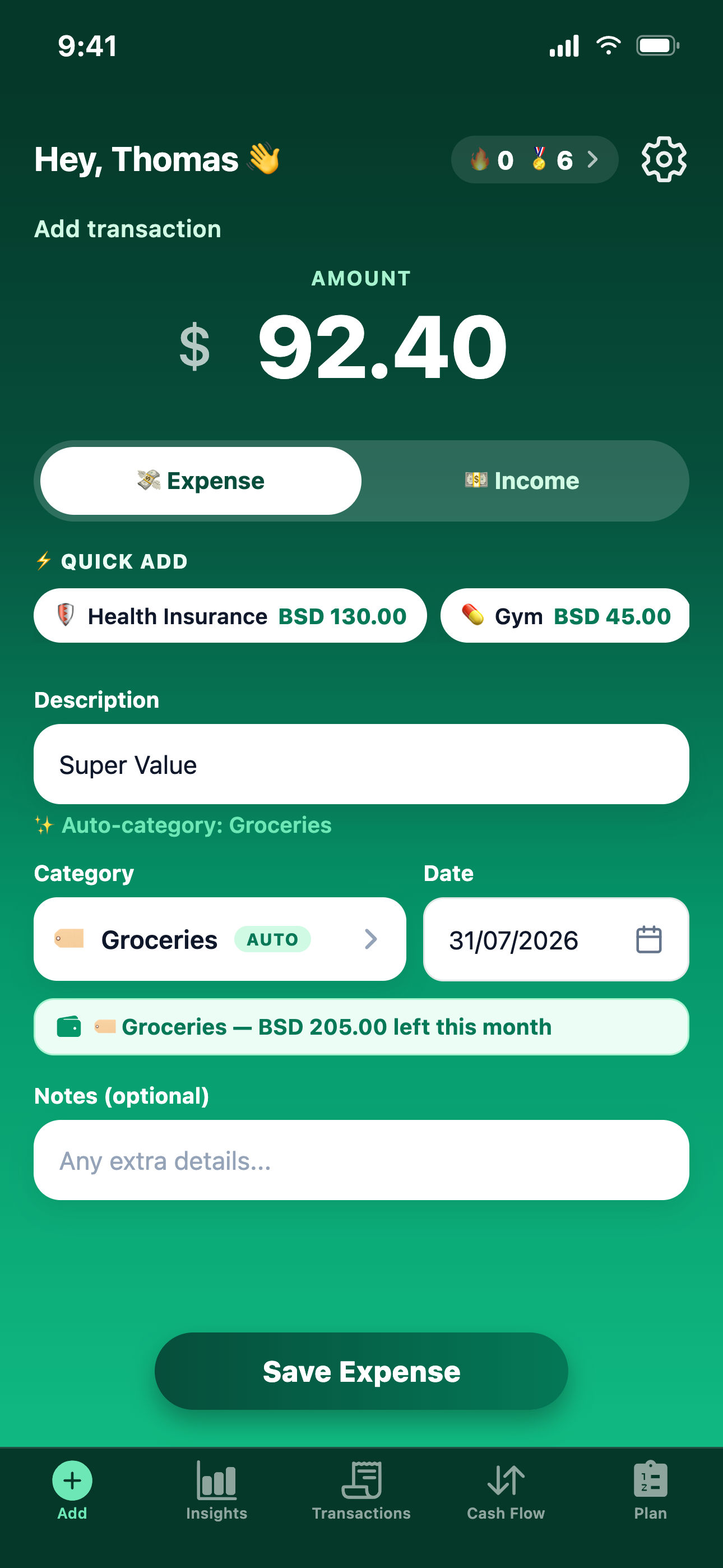
MoneyTree add-transaction screen

Works offline

Installs to your home screen and opens instantly, even with no signal.

Auto-categorizes

Type a name and it files the transaction for you — and learns your corrections.

Smart coaching

A calm coach points out the one move that helps your money most this month.

Coaches, never nags

One clear move at a time

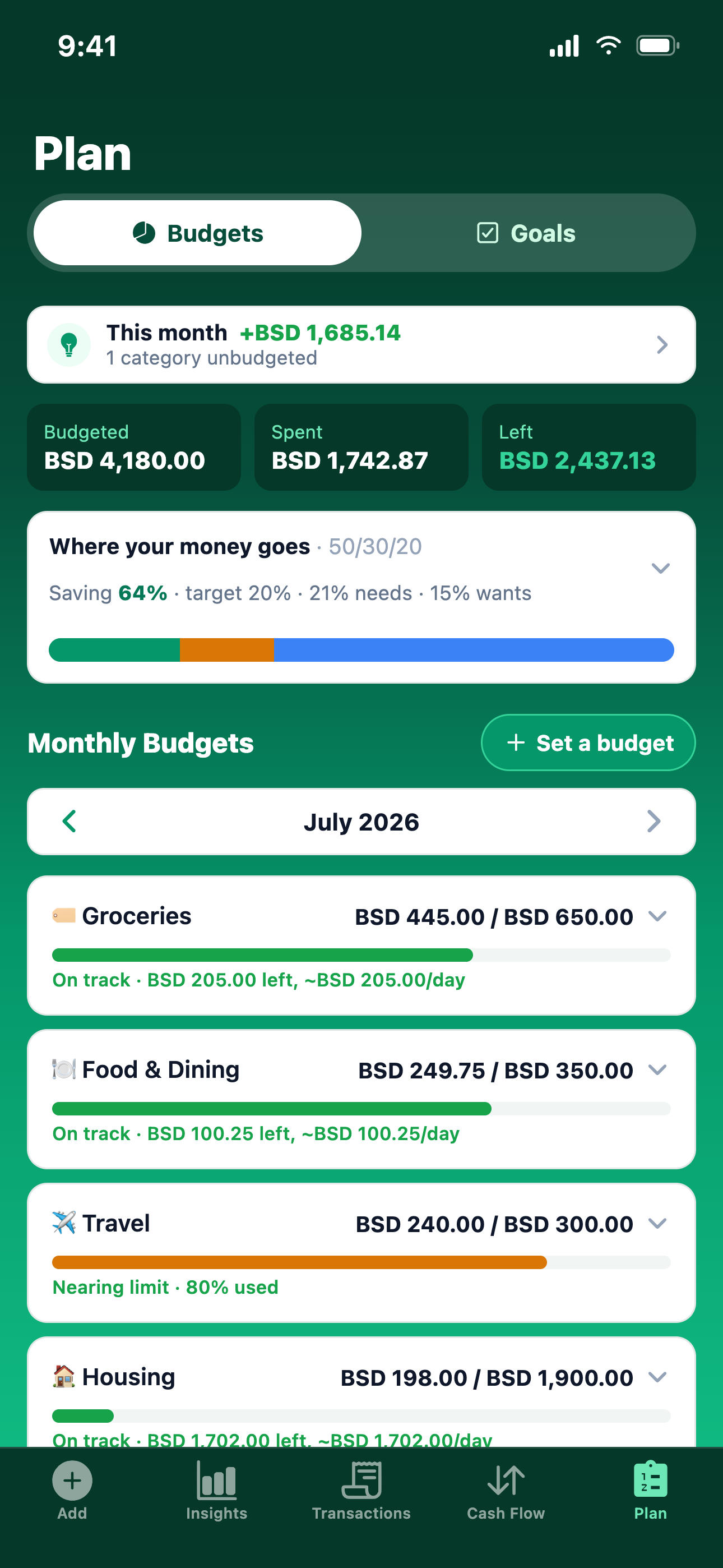
Instead of a wall of red warnings, MoneyTree's Plan coach surfaces the single most helpful thing to do this month — trim a budget, fund a goal, or log what's due — and shows where your month is really heading.

MoneyTree Plan and budgets

See where it all goes

Insights you'll actually read

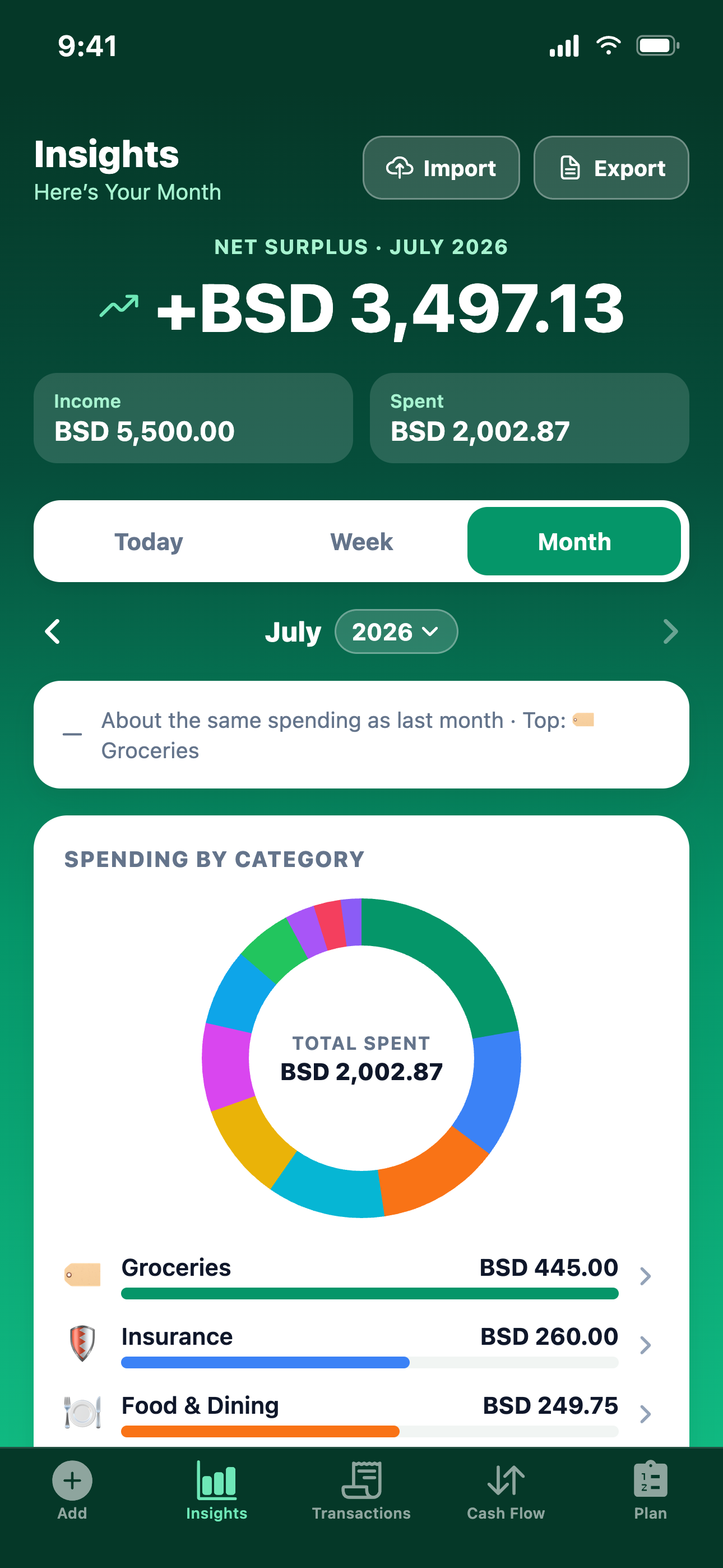
Totals, net, and month-over-month trends with tap-through category charts for today, this week, or the month. Every donut slice drills straight into the transactions behind it.

MoneyTree insights and charts

Habits that stick

A streak worth protecting

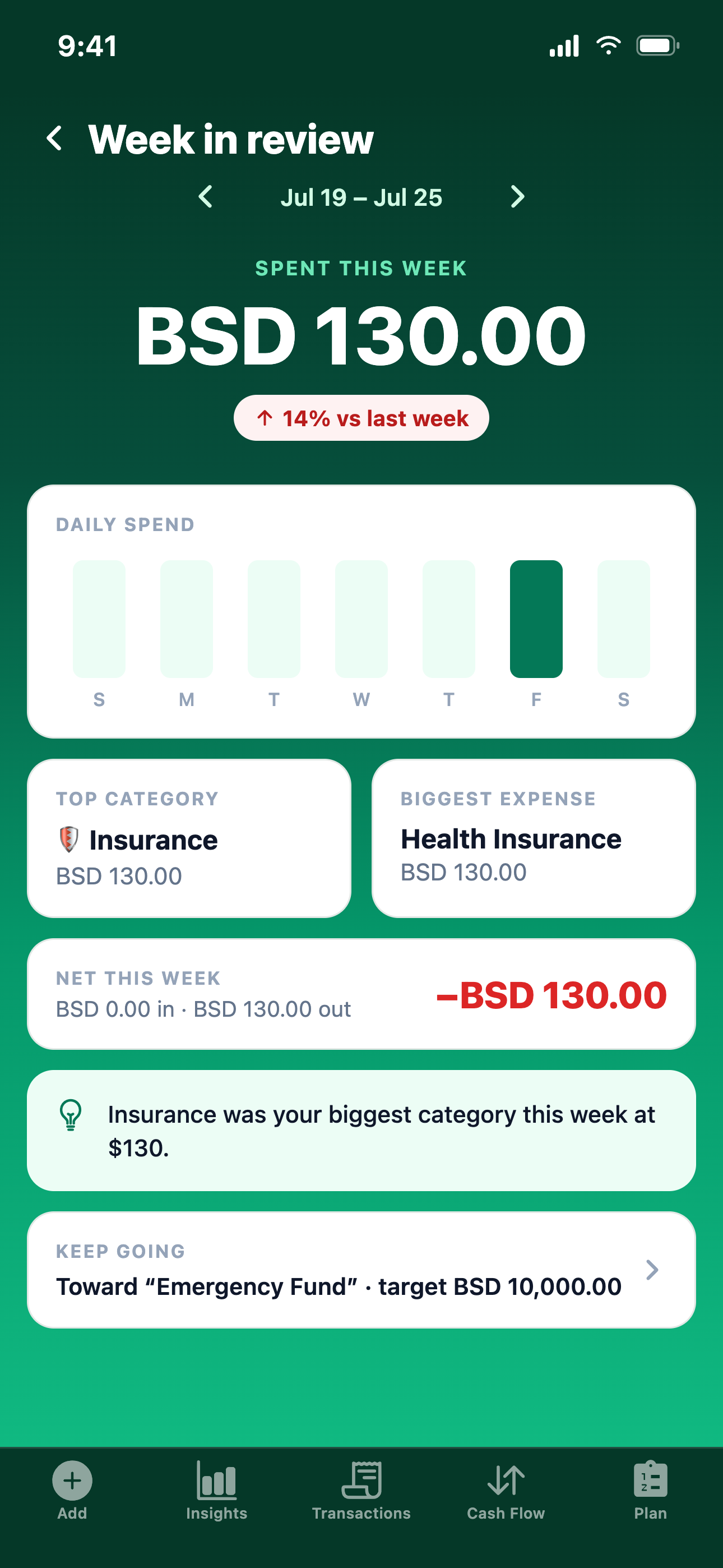
A weekly recap and a daily logging streak turn budgeting into a habit — with milestone badges and a streak-freeze safety net so one busy day never breaks your momentum.

MoneyTree weekly recap

The method

Three habits, that's it

No spreadsheets, no shame. Just a simple loop that compounds over time.

01

Log it

Add an expense in seconds — MoneyTree categorizes it and remembers your habits.

02

Plan it

Set budgets and savings goals that fit real life, with a 50/30/20 view built in.

03

Grow it

Follow the coach's one calm suggestion each month and steer toward surplus.

Tracking your money should feel easy, not intimidating. MoneyTree strips away the spreadsheets and jargon so starting the habit takes seconds — and sticking with it feels natural.

The idea behind MoneyTree

Good to know

Frequently asked

MoneyTree is free to start — all the core tracking, budgeting, and goal tools, with no ads. Premium features are on the way down the road, but the essentials will stay free.

No. MoneyTree is a web app that installs straight to your home screen. Open it in your browser, choose "Add to Home Screen," and it runs full-screen like any native app — including offline.

Your transactions are stored only to power your own tracking and reports. We never sell your personal information and never use your financial data for advertising. Passwords are stored hashed, never in plain text. See our Privacy Policy.

MoneyTree matches whole words in your description (like "Starbucks" → Food & Dining). If you pick a different category, it remembers your choice and applies it next time.

Plan has two sides. Budgets sets a monthly limit per category with a 50/30/20 needs-vs-wants view and pace alerts. Goals tracks savings targets, and a coach figures out how much to set aside each month from your real surplus.

Yes. Upload an .xlsx, .xls, or .csv file and MoneyTree finds the header row, maps the date/description/amount columns, and shows every row as an approve-and-edit checklist before anything is saved.

Once installed, MoneyTree opens instantly and shows your last saved data even with no connection. It syncs again as soon as you're back online.

Plant your MoneyTree today

Start in seconds and let a small daily habit grow. MoneyTree keeps you on track with gentle nudges, streaks, and coaching — so your finances get healthier a little more every week.

Install now

On iPhone, add MoneyTree to your Home Screen from the Share menu. Native App Store & Google Play apps are coming soon.